










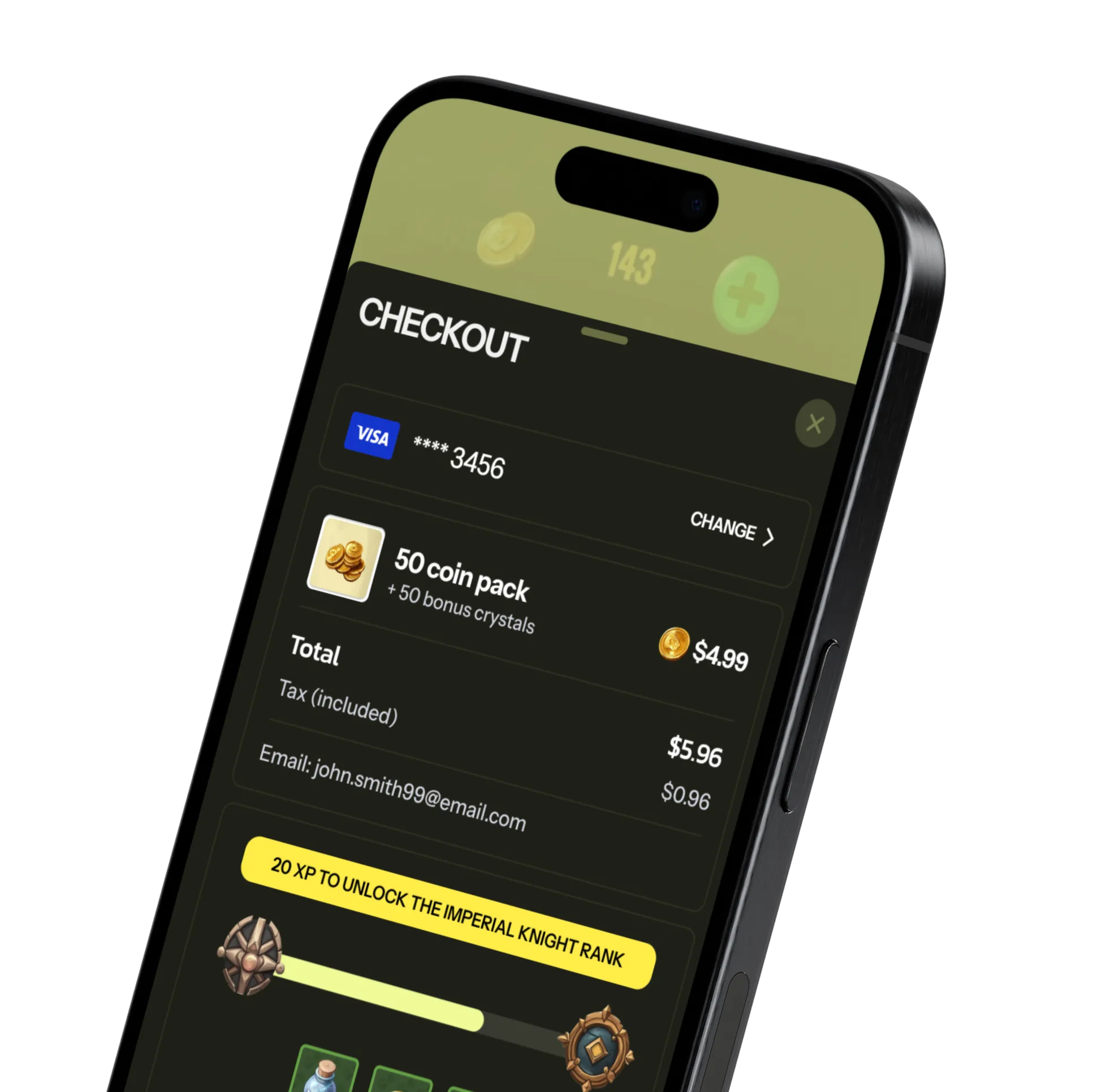
Your always-on player hub
Your web shop should feel like an extension of your game. With Stash, it does. All of your offers, currencies, and live ops sync automatically - no duplicate catalogs, no rebuilding segments. Players gain access to exclusive bundles, progression boosts and loyalty rewards when they buy direct.
Make every session a monetization and loyalty moment



FAQs
There are many benefits to distributing your game through a white-label game launcher. Most importantly, you avoid the 30% fee that Steam takes on all sales, meaning you keep more revenue in your pocket. Second, you get access to first-party player data like email addresses, which you can use to improve your marketing strategy. Finally, because you have more control over the environment, you can create deeper relationships with your players and increase their engagement - for example by incorporating social discovery features, rewards programs, user generated content, matchmaking, and more. See more advantages here.
The best pc game launchers are what we call all in one game launchers. They offer users more than a download button, and beyond distribution, also offer engagement and monetization. For example, they have built-in social and community features, such as forums, matchmaking, guides, fan contests, and more. The best game launchers also let users purchase items at a discount and enroll in loyalty and rewards programs.
The best gaming launchers use a mix of social, community, and engagement features to attract players and keep them coming back. This includes storytelling and lore, news and updates, matchmaking, friend lists, chat, forums, and loyalty programs. For example, RAID: Shadow Legends, offers the Plarium Points Program in their game launcher Plarium Play; Activision Blizzard’s battle.net offers cinematics, announcements, and creator partnerships; and Ubisoft Connect offers a dedicated newsfeed to check friends’ achievements, personalized tips and video recommendations, leaderboards, and rewards.
Your a white-label game launcher is critical to building up your game community - since it serves as the ultimate destination to both play your game and connect with others. You can deepen community engagement by incorporating friend lists, built-in chatting functionalities, and game forums, and encouraging players to create and share user-generated content, like mods, custom maps, fan art, and gameplay videos. Reach out to us for a full list of community features you get with Stash.
There are two ways to distribute your games using a game launcher with Stash. One way is to manually upload your game binaries to Stash Studio, which is our developer portal. To do that, upload a .zip file of your game build and select the game platform and executable (.exe for Windows and .app for Mac). The other way is to use the Stash CLI tool to automatically upload your game builds using a CI/CD pipeline. Once you’ve uploaded your binaries, Stash handles distribution, CDN caching, and incremental updates for your global player base. You can also choose to distribute your binary privately to your team members or a limited number of players to test your game before publishing.
Stash’s incremental updates feature lets you easily push updates and new content to your game launcher. Each time you upload a new game binary, Stash’s delta patching algorithm downloads the changes between the current version and the new version of the game. Only those changes are pushed to your users, allowing for faster downloads and less bandwidth usage.
Stash is both a Windows game launcher and a MacOS one - supporting both major operating systems. Stash is always compatible with the latest versions of both Windows and MacOS, giving your players a seamless game launcher experience. We release regular updates to maintain optimal performance and integrate new development tools. Whether you're developing for PC or Mac, Stash offers strong support and a developer-friendly interface.
The system requirements needed to run the Stash game launcher is Windows 10 and above with amd64 (x64) binaries. Note that the ARM version of Windows is not supported for now. Meanwhile, the minimum macOS version supported is macOS 10.10 for both Intel and Apple Silicon - with 64bit binaries provided.
Yes! You can completely customize the look and feel of the game launcher - in fact, that’s best practice. That way, it feels like an extension of the game itself and part of the game universe you built. You can either choose from one of our templates, build a custom design yourself, or work with the Stash team to design it for you.
Stash offers a range of support services for developers using our game launcher platform. That includes comprehensive documentation, including API references, SDK integration guides, and best practices for distributing your game and optimizing game performance. We also offer direct support via live chat, email, and online meetings whenever you need and for whatever questions you have. Need help? Reach out to us here.
To create a custom gaming launcher with Stash, reach out to us here. We’ll be in touch and get you started!
Own your launcher, own your growth
